Ion Design
Designing for trust and control in an AI-native design tool.
I helped shape interaction patterns that brought familiar design controls into an AI-native workflow, giving designers greater visibility into their work and more control over how AI changed it.
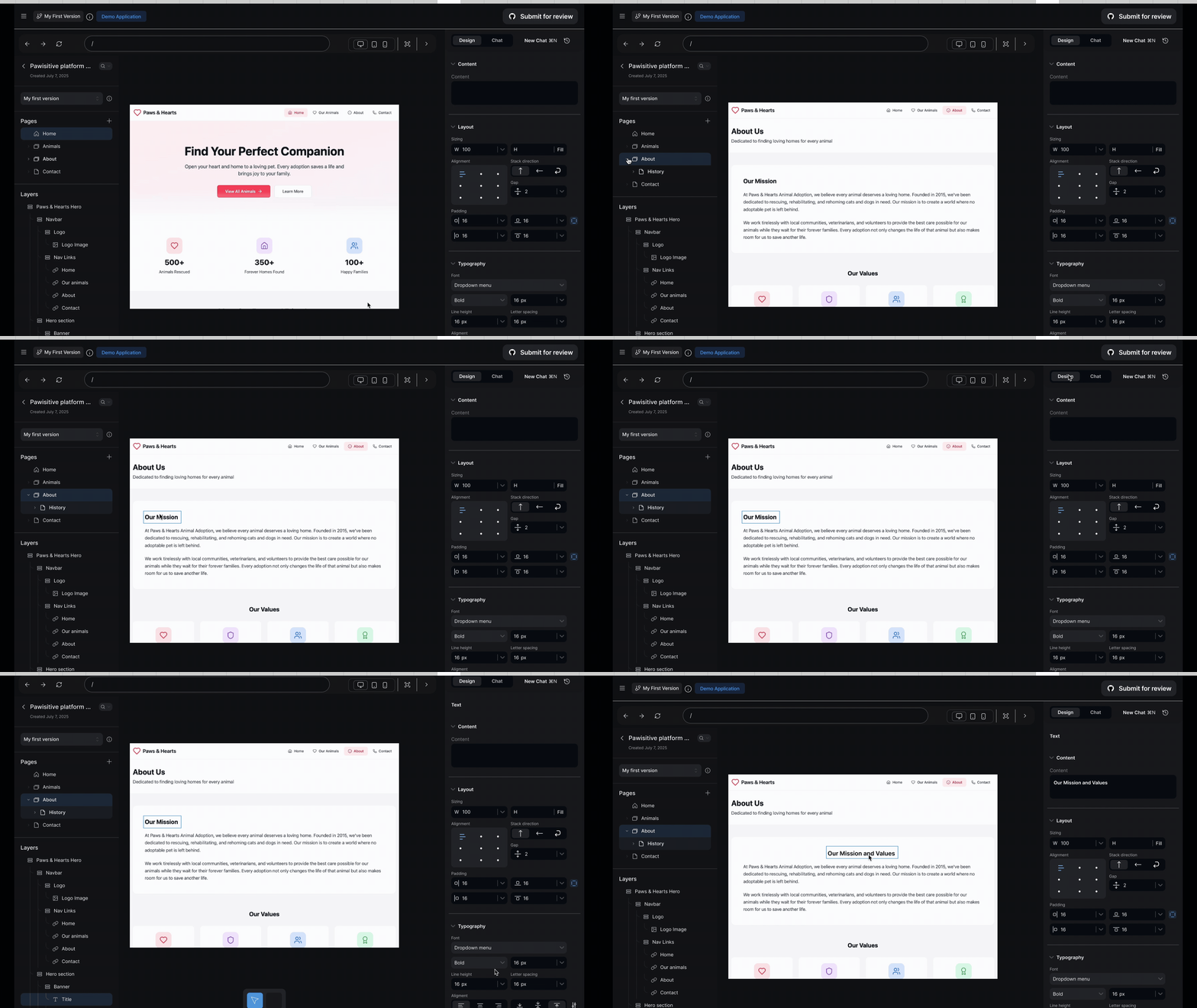
Ion is a YC W24 startup building an AI-powered design tool that helps product teams go from idea to shipped interface faster. I joined as a Product Designer for 12 weeks, contributing across research planning, insights synthesis, and the investor pitch deck, as well as leading design on two of the product's core features: the layers panel and the live cursor interaction. All of it was pointed at the same question: how do you build an AI tool that makes designers more powerful, not redundant?
AI had figured out how to generate interfaces. No one had figured out how to keep designers in control of them.
When we joined Ion, the product was a prompt-to-UI tool. Describe an interface, the AI generates it. Fast, frictionless — and in a market filling up with tools doing exactly the same thing.
“We aren't building AI to automate design, we are reimagining how designers build.”
Ion co-founder, initial brief
- ↳No way to express design intent
- ↳Outputs ignore brand context
- ↳Skips the thinking, not just the work
- ↳Can't collaborate on AI output
- ↳Feedback loops stay in Slack
- ↳No shared canvas to work from
- ↳Handoff breaks without layers view
- ↳"Final" designs keep changing
- ↳No designer sign-off in the loop
Designers wanted AI to accelerate their workflow, not replace how they work.
From research and early product feedback, we saw that designers valued AI most as a starting point and collaborator. They still wanted familiar ways to inspect structure, manipulate individual elements, understand what had changed, and refine an output themselves.
“I still need to learn how to communicate my needs with the machine instead of the other way around.”
Limitation of text-based prompts“This is the problem I have. What are some ways I can do it?”
Using AI to brainstorm“I still prefer manual control over design — I'm concerned about AI's inconsistency with the design system.”
Need for creative controlThree principles shaped the design direction.
Thoughtful and contextual, AI should ask clarifying questions, not just execute commands.
A design interface designers already know, so AI reduces friction, not replaces practice.
Designers need precise control at every level, from big-picture layout to pixel-level refinements.
From generating interfaces to designing a collaborative workspace.
From research and early product feedback, we saw that designers valued AI most as a starting point and collaborator. They still wanted familiar ways to inspect structure, manipulate individual elements, understand what had changed, and refine an output themselves.
Before
AI produces the design.
After
Designer stays in the loop.
Before
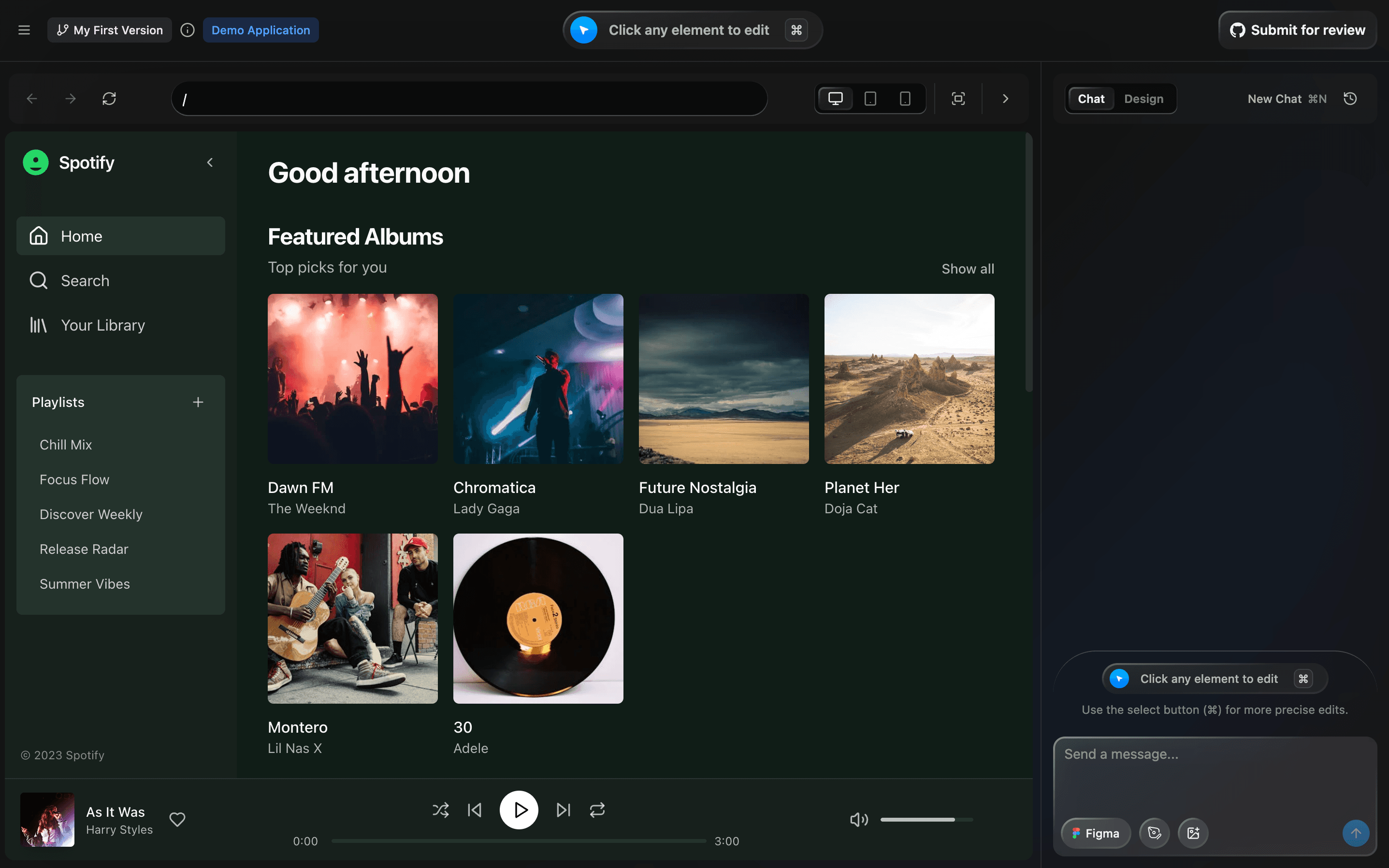
After
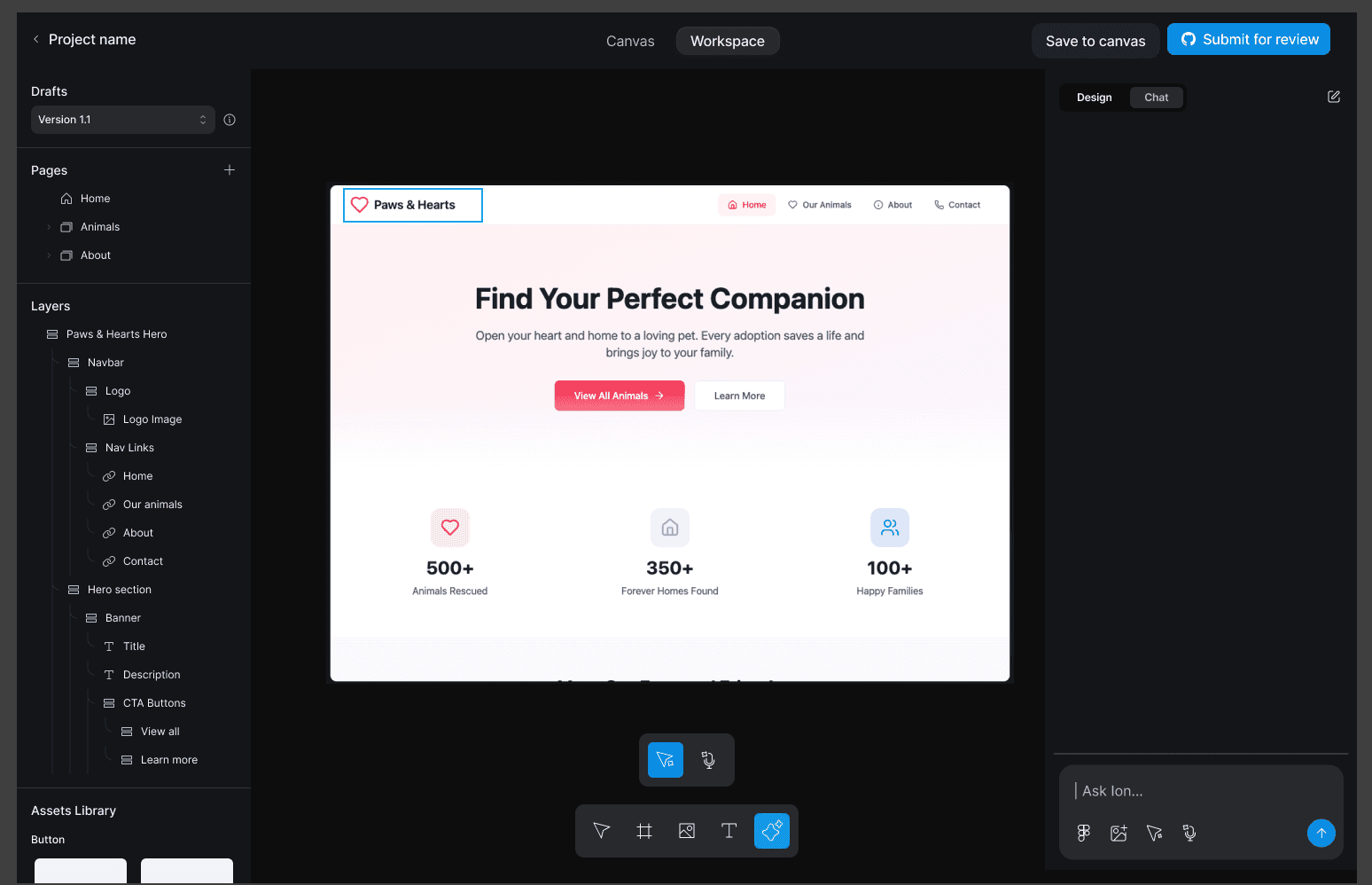
From prompting the product to directing AI in context
Early AI interactions relied heavily on prompts: powerful for generation, but less effective when designers needed precise changes. We explored how contextual interaction could close that gap, allowing designers to direct AI closer to the object and moment where a decision was being made.
A Slack entrypoint lets teams spin up a canvas without leaving their workflow. The live cursor lets anyone leave a comment and get Ruby's contextual feedback inline.
The infinite canvas holds multiple design versions side by side. Node-based editing lets you multi-select elements across versions and prompt a better variation.
Audio edits let users skip typing entirely — Ruby reads spoken requests, reviews them, and generates final designs all at once.
A familiar property panel and layers view give designers precise control over every element, right through to handoff — no black-box outputs.
From early product exploration to an evolving AI-native design platform.
The product direction evolved significantly during the engagement, but the work established interaction patterns and product foundations that carried into the next iteration. Early concepts moved beyond exploration into released features, while our research helped clarify a larger opportunity: AI design tools needed to give users more context and control, not simply generate faster.
70
Slack integration and infinite canvas progressed into the product.
Speed alone wasn't enough, users needed visibility into what was changing.
One big opportunity here was designing the relationship between human intent and machine action.
Designing for AI isn't just about generation. It's about preserving human control.
Working on an AI-native design tool changed how I thought about the relationship between designers and intelligent systems. Speed and generation created initial value, but they weren't enough to build trust. Designers needed to understand what the system changed, maintain context as they worked, and have clear ways to refine, redirect, or reverse its actions.
I took forward a simple principle: the more agency we give AI, the more intentional we need to be about preserving human agency. That means designing visibility, context, control, and reversibility into the experience, not treating them as safeguards added after the core interaction is built.